The rule that changes your obligations rarely arrives with a press release. More often it is a quiet edit to a page you were not looking at that day.
If your team tracks primary sources — regulators, agencies, courts, standards bodies, company press rooms, statistical releases — you already know the pain:
- 20 tabs open
- email newsletters everywhere
- “urgent” alerts that aren’t actually urgent
- and the one critical update that slips through because it was a quiet change on a page nobody checked
This guide shows how to monitor government website changes — new guidance, quiet edits and removed pages — compares the most common ways teams track primary sources, and shows a workflow that scales from one analyst to a whole regulatory, policy, market-intelligence or research team. Newsrooms face the same problem, so some of the examples come from reporting. It draws on real, recent cases where the signal was not an announcement, but a quiet change to a web page.
What the practice shows: the page itself is the source
The most important monitoring lesson of the past two years is simple: organizations edit the public web quietly, and those edits matter.
The clearest illustration came from the wave of US federal website changes in early 2025. By February 2, 2025, more than 8,000 web pages across more than a dozen government websites had been removed or altered — roughly 0.1% of all US government web pages, according to a New York Times analysis summarized in the Wikipedia record of the removals. The Times found more than 250 pages containing evidence of deletions or amendments tied to a list of flagged words. The edits weren't always full deletions — sometimes a single phrase changed: "climate change" became "climate resilience," "LGBTQ" became "LGB," "pregnant people" became "pregnant women."
These weren't announced. They were caught by comparing the live page to an older snapshot. When the Consumer Financial Protection Bureau removed roughly 1,700 pages — press releases, consumer advisories, testimony, and op-eds — reporters reconstructed exactly what disappeared (a know-your-rights guide on medical-debt collection, an advisory on hidden fees in solar-energy loans) by diffing the current site against the Internet Archive's Wayback Machine. The same method surfaced the Justice Department's quiet removal of news releases about January 6 prosecutions.
For a compliance team at a lender, that CFPB advisory was guidance it may have been relying on. For a policy analyst, the wording change was the policy change. For a newsroom, the deletion was the story. Two takeaways apply to all of them:
- A 404 is not a dead end — it's a signal. As the Global Investigative Journalism Network puts it in its guidance on using archives for accountability, the act of deletion is itself an event worth recording.
- You can only catch a quiet edit if something was watching. The Internet Archive now holds more than one trillion archived web pages, but it doesn't watch your sources on your schedule. That gap — a continuous record of each advisory, release or notice on the pages that matter to your team — is exactly what a change monitor fills.
Speed matters more as information moves faster. The Reuters Institute Digital News Report 2025 found that social and video platforms now reach 54% of US news consumers, overtaking TV (50%) and news sites/apps (48%), and that 58% of people globally say they struggle to tell real from fake online. When a rumor about a rule change spreads before the rule does, the team that reads the primary source first — and can show exactly what changed — is the one that gets it right.
What teams actually need from monitoring tools
Most “monitoring” advice focuses on finding new links.
But teams that work from primary sources need something more specific:
- Track the items on specific pages — advisories, press releases, docket entries, regulatory notices, security bulletins — and know when each one is new, edited or removed
- Separate signal from noise (cookie banners, footers, trending widgets, pagination)
- See what changed on each item quickly (not just “something changed on the page”)
- Route the update to the team where it already works: a Slack or Discord channel, an email digest, or your own systems
That’s why the right solution depends on whether you’re chasing new mentions or changes to the items your sources publish.
The main approaches (and where each one breaks)
1) Google Alerts (good for mentions, weak for source changes)
Best for:
- brand mentions
- newly indexed articles
- broad topic tracking
Where it fails for primary sources:
- it’s not designed to watch a specific URL and highlight what changed
- it can be late (indexing delays)
- it’s noisy for broad topics
If your work depends on updates to a handful of “source of truth” pages, Google Alerts won’t reliably catch them.
2) RSS feeds + Feedly/Inoreader (fast, but still manual)
Best for:
- publishers that maintain clean RSS
- following many blogs in one place
Where it fails:
- many critical sources don’t offer RSS (or publish partial feeds)
- you still do the triage and summarization
- it’s hard to track edits (updated guidance pages, corrections, quietly revised advisories)
RSS is powerful, but it’s not “monitoring” — it’s a firehose.
3) Enterprise media monitoring suites (powerful, expensive, mention-centric)
Tools like Meltwater/Cision-style platforms can be excellent when you need:
- broad coverage across publishers
- sentiment/mention analytics
- alerts about newly published stories
But they’re often overkill if your job is:
- monitoring a list of specific public pages
- tracking changes in primary sources
- producing quick internal briefs on what changed
4) Website change monitoring tools (accurate detection, but you still read the diff)
Tools like Visualping, Distill, Wachete, ChangeTower, and similar solutions are great at one thing:
- notifying you when a page changes
The problem starts immediately after:
- you still need to open the change
- scan a raw diff
- decide what matters
- summarize it for your team
This is where analysts lose time — and where missed context leads to mistakes.
What actually helps: detection + interpretation
A workflow that holds up has two steps:
- Detect changes reliably.
- Interpret changes quickly and consistently.
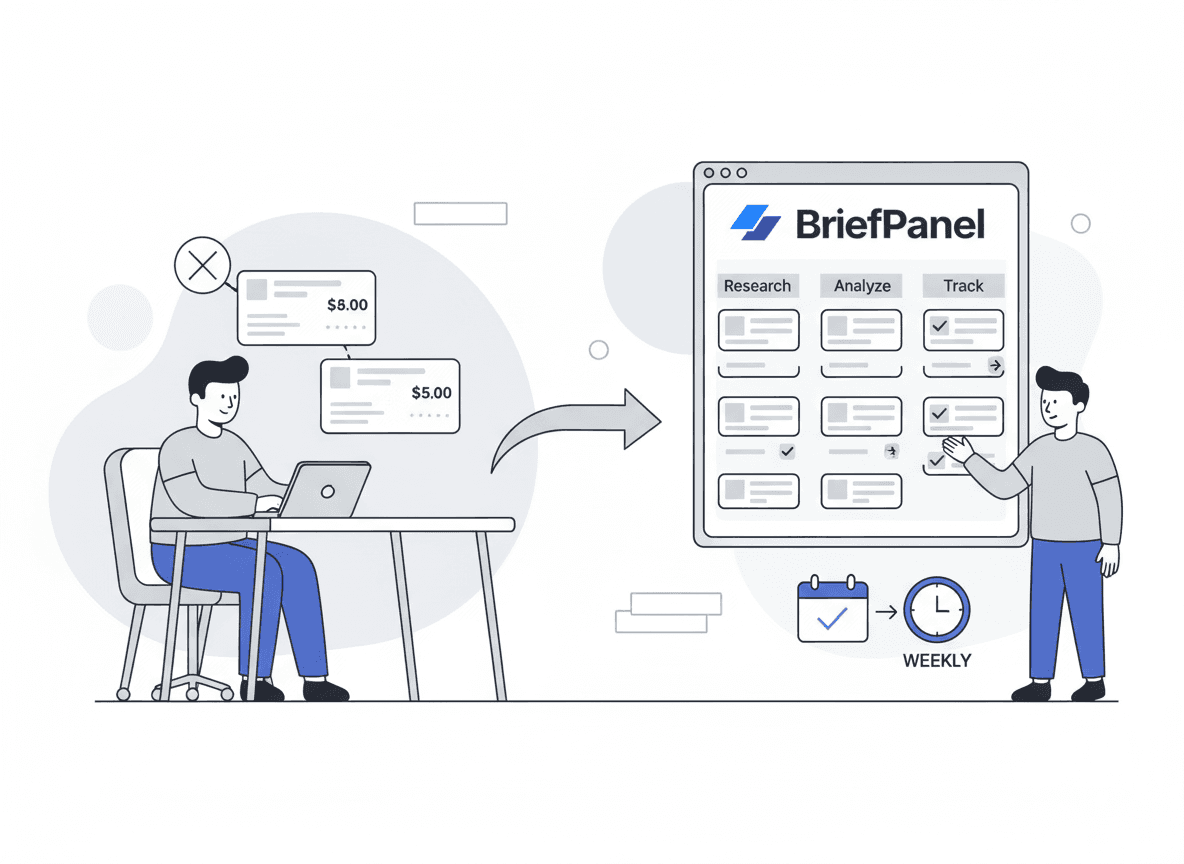
BriefPanel is built around that second step.
Instead of sending you “red/green diffs,” it tracks each advisory, filing or notice as its own item — new, edited or taken down — with the field that moved on an edit and the entry written up in your team’s language. The interpreting starts from that, not from a diff.
How BriefPanel tracks a primary source
You add each page you care about — an advisory index, a press room, a docket, a notices page — as a source. BriefPanel finds the items on it and tracks each one with its own history.
- New, modified, or removed. Every check says which items appeared, which were taken down, and, on an edit, which field moved (status, effective date, deadline, amount) with the value before and after.
- Long lists. When a press room or notices index splits across several pages, a check can read the next pages of the list too.
- Detail from each item’s own page. Each press release or advisory usually has a page of its own. A check can follow those pages to read details the list does not show.
- Your cadence. Check each source every 30 minutes, every hour, every 6 hours, or once a day, depending on how urgent it is.
- Your instructions. Tell BriefPanel in plain words which items and fields matter, and set the update sensitivity so layout tweaks don’t count as changes.
- Less noise as you go. On any update, "Don’t show updates like this" teaches that source what you don’t care about: matching updates stay in the history but stop notifying you.
- Questions across all your sources. Ask the Assistant things like "Which agencies changed guidance on medical debt this quarter?" or "How many enforcement actions did each regulator post this month?" It answers from your tracked items, cites them, and can draw the trend as a chart.
- Delivery your team already reads. Instant email when a check finds a change, a daily or weekly digest, push notifications, or a Slack or Discord channel through a webhook — all in your team’s language.
- Data out of the app. Export a source’s current items as CSV, send each new, modified or removed item to your own system through a signed webhook, or read the same history through the REST API and MCP server.
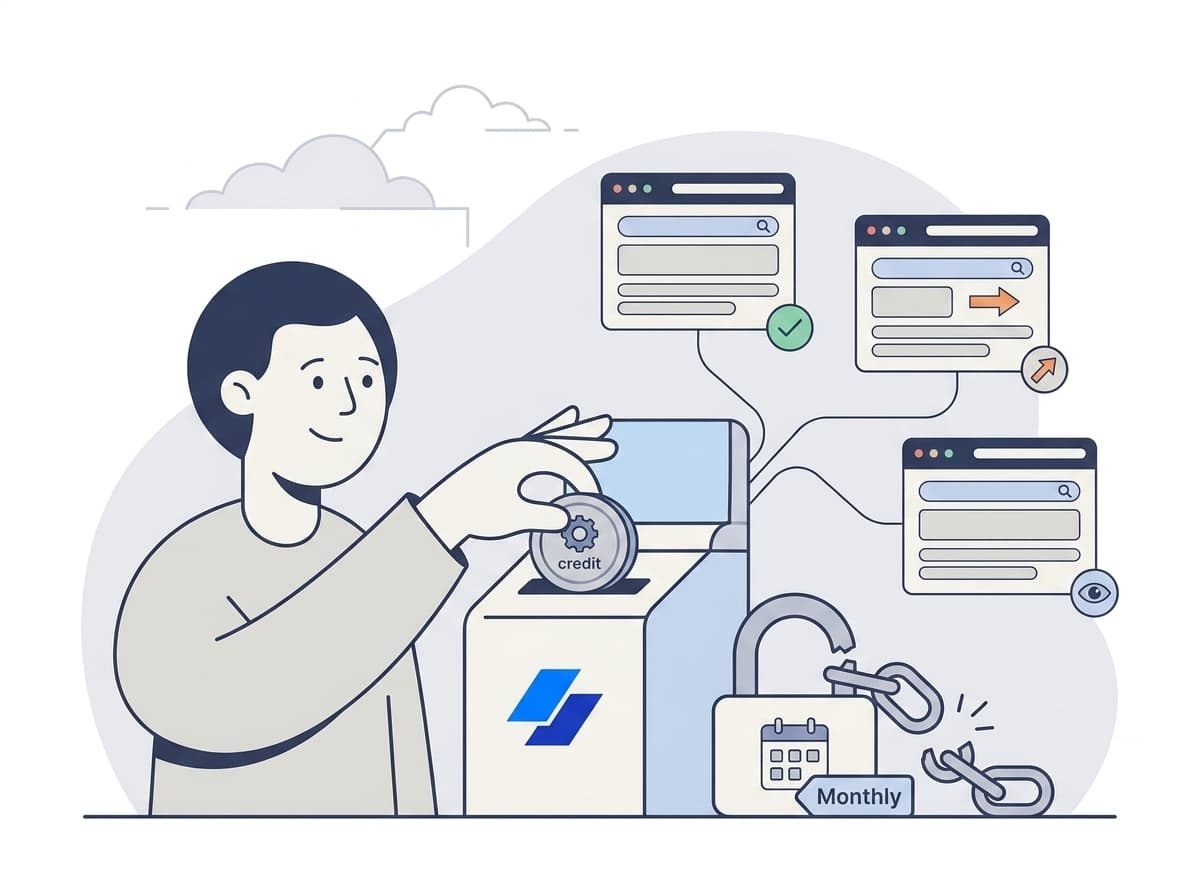
What it costs. Billing is pay as you go with credits, with no subscription. A check spends one credit for every page it reads: the source page, each next page of the list, and each item page it follows, up to a fixed ceiling per check. A source’s settings show what one of its checks costs, and the pricing calculator shows current prices.
Tracking regulators and public notices? See how compliance teams use BriefPanel →
A comparison (what to use when)
| Your goal | Best option | Why |
|---|---|---|
| Track brand mentions across the web | Google Alerts / media monitoring suites | Good coverage for newly published content |
| Follow lots of blogs | RSS (Feedly/Inoreader) | Fast scanning, good for discovery |
| Detect changes to a specific public page | Website change monitors | Reliable change detection |
| Track each item on a source and see exactly what changed | BriefPanel | Item history + instructions + digests |
A 10-minute setup (that scales)
Step 1: Pick “source of truth” pages
Start with 10–25 URLs that publish authoritative updates:
- agency guidance pages
- press release pages
- court docket/status pages
- procurement / tender / public notices pages
- security advisories and incident pages
- product policy / terms pages (platform changes matter)
- statistical release calendars and results dashboards
Step 2: Set urgency-based cadences
A simple default:
- Every 30 minutes or hourly: the few sources where hours matter
- Every 6 hours: key pages that change often
- Daily: background monitoring / slow-moving sources
Checking less often is the main way to spend fewer credits.
Step 3: Give each source instructions
When you add a source, tell BriefPanel what to track, for example:
"Track each advisory, rule or notice as its own item. For each one, keep the title, the issuing body, the status, the effective date or deadline, and any amounts or thresholds. Treat a change to any of those as an update. Ignore navigation, related links, footers, and formatting."
This keeps the updates down to the edits worth acting on.
Step 4: Route the updates
- a daily digest to brief the team each morning
- a Slack or Discord channel where the team can react fast
- a signed webhook into your case-management or research system
A source-monitoring framework
Effective monitoring isn't "watch everything." It's a small, tiered map of where the truth for your area actually lives, paired with a checking cadence and a verification step you run before you act on a change.
Step 1 — Tier your sources
Sort every URL you watch into three tiers. The tier sets the cadence and the level of scrutiny.
| Tier | What it is | Examples | Suggested cadence |
|---|---|---|---|
| Tier 1 — Primary / authoritative | The page where an action becomes official | Agency guidance and rulemaking pages, court dockets, regulatory filings, security advisories, official press rooms | 30 min–hourly |
| Tier 2 — Context / status | Pages that change often and signal intent | Leadership and "about"/bios pages, investor relations, terms and policy pages, FAQ and help-center pages | 6 hours |
| Tier 3 — Background | Slow-moving but worth a baseline | Annual report archives, partner directories, historical data dashboards | Daily |
The 2025 examples above map cleanly onto this: a scrubbed staff bio is a Tier 2 signal; a deleted advisory or filing is a Tier 1 event.
Step 2 — Watch the right things on each source
The most useful changes are rarely the visual ones. Tune your monitoring to flag:
- Removed items — an advisory, a document, or a release that disappears from the list (the highest-value signal).
- Quiet edits to an item — a date, a number, a name, or a single loaded phrase that changes without a correction note. This is the "stealth edit" that tools like NewsDiffs were built to catch on news sites themselves.
- New items — a filing appears, a deadline is posted, a status flips from "pending" to "decided."
Ignore navigation, cookie banners, footers, and trending widgets — they generate noise without signal.
Step 3 — Verify before you act
A change alert is a lead, not a fact. Investigative-journalism guidance is consistent on the discipline here, and it applies just as well to a compliance memo:
- Capture the change immediately. Save the new state and the prior state (screenshot, URL, timestamp). The Internet Archive's own Save Page Now and tools like Archive.today create independent, timestamped copies.
- Corroborate across at least two independent archives. GIJN's verification guidance stresses checking findings against multiple archival tools — Wayback, Archive.today, and Memento — so a single source can't be your only proof.
- Confirm the page is the official one and rule out an A/B test, CDN cache, or staging glitch before you call it a deliberate change.
- Treat the deletion as an event — and ask the source. "Why was this removed?" is a legitimate question that often explains what is really going on.
Step 4 — Brief the team
Turn the verified change into a short, shareable brief: what changed, on which item, when, the archived before/after links, and why it matters. That format makes handoffs trivial and keeps the whole team on the same primary source.
A worked example: catching a quiet removal
Say you are on the compliance team of a consumer lender. You add the federal regulator’s press room and its consumer-advisory index as Tier 1 sources at an hourly cadence, and its leadership page as Tier 2 at six hours.
One morning, the advisory index quietly drops several advisories — including a know-your-rights guide on medical-debt collection. There's no press release and no correction notice. Because the index was being tracked, BriefPanel reports each of those advisories as removed the same day, and each one keeps its history: when it first appeared and what it said while it was live. You pull the removed pages from the Wayback Machine, confirm they were live the prior week, corroborate with a second archive, and flag to legal which internal policies cited them.
That is, in outline, how reporters documented the CFPB removals in 2025: the deletion was the story, and the only way to prove it was a saved earlier version of the page. A compliance team needs the same proof for a different reason.
Common use cases by team
Regulatory and compliance
Monitor agencies and regulators for:
- new guidance
- compliance deadlines
- enforcement actions
- FAQ updates
Policy watch and legal
Track docket pages and public updates for:
- schedule changes
- filings
- decisions
- new documents
Market intelligence
Track:
- investor relations pages
- leadership pages
- pricing pages
- partner program terms
- trust & safety policies, transparency reports and developer docs
Research teams
Follow:
- statistical release calendars
- dataset and publication pages
- funding calls and program notices
Newsrooms
All of the above, from the other side: a removed advisory or a quietly edited filing can be the story itself.
The biggest trap: alert fatigue
Even the best monitoring pipeline fails if it overwhelms people.
If your team is ignoring alerts, the system isn’t “too noisy” — it’s missing structure:
- define which sources are urgent vs. background
- tighten instructions to match what the team acts on
- check background sources daily, and turn notifications off on the ones you only need on record
BriefPanel gives you both: an instant email when a check finds a change (at most one per interval you choose) and a daily or weekly digest. Turn notifications off on background sources and they stay quiet while still keeping their history.
Frequently asked questions
Can a quiet website change really matter on its own? Yes. In 2025, the removal of pages — from roughly 1,700 CFPB advisories and testimony to the Justice Department's January 6 prosecution releases — was itself the news, and for anyone relying on that guidance it was also a compliance question. Investigative-journalism guidance treats a deletion as an event, not a dead end. What you can do with it hinges on having a prior version to compare against.
How do I prove a page changed if the original is gone? Use independent, timestamped archives. The Internet Archive's Wayback Machine holds over a trillion archived pages, and you can capture a fresh copy yourself with Save Page Now. Corroborate across a second archive (Archive.today, Memento) so no single source is your only proof.
What's a "stealth edit," and how do I catch one? A stealth edit is a change made without any note that the text was altered — a swapped date, number, name, or phrase. On news sites, NewsDiffs has tracked these on outlets like the NYT, CNN, Politico, the BBC, and the Washington Post since 2012. On any source, the reliable way to catch one is to track each item on the page and record which field moved, with the sensitivity tuned to substantive text rather than layout.
How many sources should we monitor, and how often? Start with 10–25 URLs your team can't afford to miss, tiered by importance: primary/authoritative pages every 30 minutes or hourly, context pages every 6 hours, background pages daily. It's better to watch a tight list well than a huge list badly — and checking less often is the main way to spend fewer credits.
Can updates go to Slack or into our own systems? Yes. Send updates to a Slack or Discord channel through a webhook, export a source’s current items as CSV, receive each new, modified or removed item through a signed webhook, or read the history through the REST API or the MCP server.
Does BriefPanel replace the Wayback Machine? No — they're complementary. The Wayback Machine is your archive of record for proof; BriefPanel is the watcher that tells you when an item you track is added, edited or removed and what changed, on your schedule, in plain language. Use the alert to act fast, and the archive to verify.
Related guides
- How to monitor government regulation updates
- Market intelligence for analysts
- Research and literature monitoring
- Top 10 ways to track website changes
Start tracking your primary sources today
You can keep using Google Alerts and RSS for discovery.
But if you want to know when an advisory, release or docket entry is new, edited or removed — and see exactly what changed, without reading raw diffs — BriefPanel is the simplest workflow upgrade you can make.
See BriefPanel for compliance teams → · See BriefPanel for research teams →
Sources
- New York Times analysis of 2025 US government website removals (8,000+ pages; 250+ with flagged-word edits), summarized in Wikipedia: 2025 United States government online resource removals
- Thousands of pages deleted from the Consumer Financial Protection Bureau website (CFPB removals reconstructed via the Wayback Machine)
- Justice Department Removes News Releases on Jan. 6 Prosecutions From Website (Time)
- Global Investigative Journalism Network — Using Archives to Seek Accountability
- Internet Archive — One Trillion Web Pages Archived
- Reuters Institute — Digital News Report 2025, executive summary
- NewsDiffs — tracking online news articles over time
- The Internet Archive's Wayback Machine