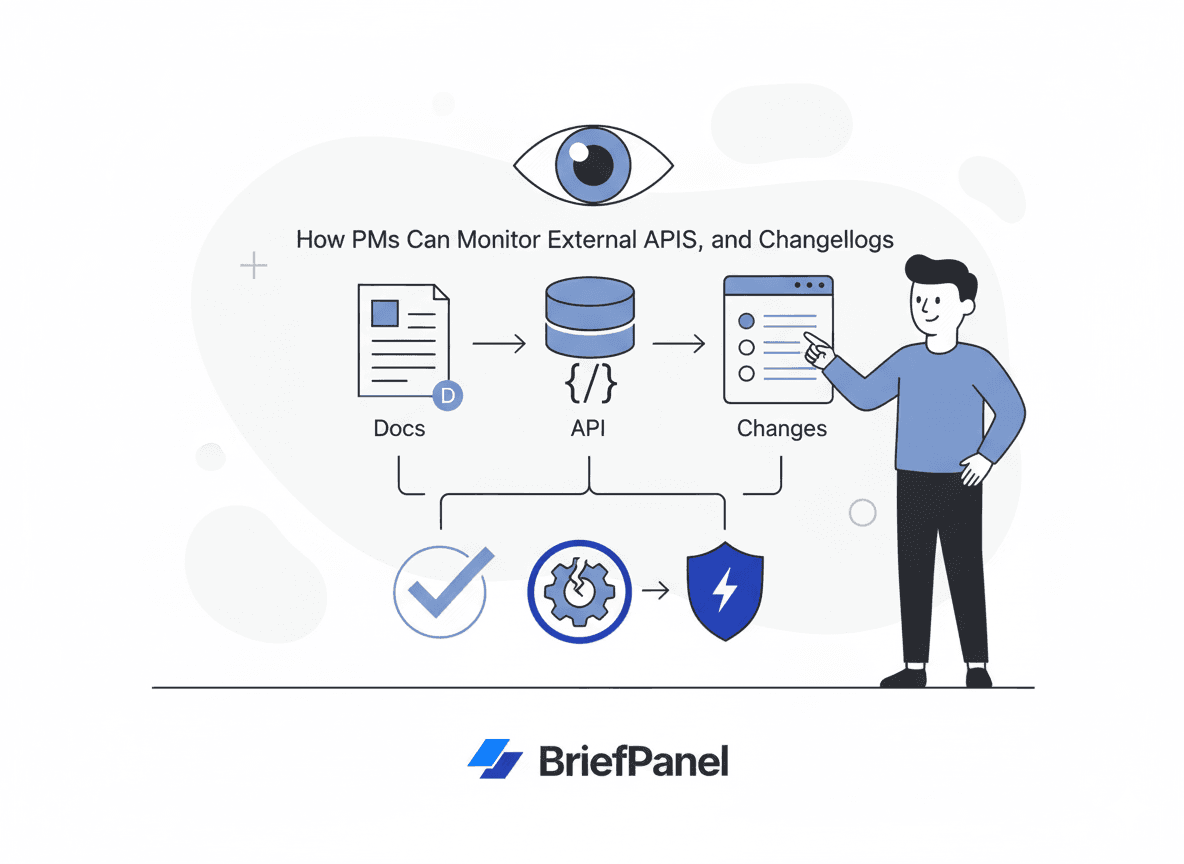
Modern products ship on top of a stack of third-party dependencies:
- APIs
- SDKs
- docs
- changelogs
- status pages
When vendors move fast, the risk isn't "we didn't read the docs" — it's we didn't notice the change in time. A renamed parameter, a tightened rate limit, or a quietly dated deprecation notice can break an integration in production long before anyone on your team opens the release notes.
This guide shows a practical workflow to monitor external developer docs and changelogs without adding constant busywork — and grounds it in how the most disciplined API providers actually manage change.
What the practice (and the failures) tell us
Two things are true at once in the API ecosystem: the providers who do versioning well are extremely deliberate about it, and the ones who break things badly cause real damage to the teams downstream.
Disciplined providers treat backward compatibility as infrastructure. Stripe is the canonical example. It uses date-based versioning — each release is named for the day it shipped (for example, 2024-09-30.acacia) — and pins each account to the version it first integrated against, so you never silently receive a breaking change. Stripe says it has maintained compatibility with every version of its API since 2011, absorbing close to a hundred backward-incompatible upgrades by writing isolated transformation modules that downgrade modern responses back to whatever version each client expects (Stripe engineering blog, Stripe versioning docs). As of the 2024-09-30 release, Stripe ships backward-compatible monthly releases and reserves breaking changes for two named releases per year — a cadence worth knowing if Stripe is in your stack.
What counts as "safe" in that model is precise. Stripe classifies adding new resources, adding optional request parameters, and adding new response properties as backward-compatible — while removing or renaming fields, removing endpoints, and changing response structures are breaking (Stripe versioning). That same line between additive and breaking changes is the consensus across REST API design guidance (Speakeasy: API versioning).
When a provider isn't disciplined, downstream teams pay. The clearest recent example is X (formerly Twitter). In early 2023 the company abruptly suspended popular third-party clients, then announced the end of free API access for both v1.1 and v2 in February 2023, with legacy access deprecated by late April. Long-standing apps like Tweetbot and Twitterrific shut down as a direct result (TechCrunch, The Register). The lesson isn't "Twitter is bad" — it's that access tiers, pricing, and auth are part of your dependency surface, and they can change faster than code.
Standards now exist specifically so deprecations are machine-detectable. In 2025 the IETF published RFC 9745: The Deprecation HTTP Response Header Field, which lets an API signal that an endpoint is deprecated directly in the response. It pairs with the older RFC 8594 Sunset header, which announces when a resource will stop responding. Together they describe deprecation as two stages: no-longer-recommended, then decommissioned. Large platforms formalize the same idea in policy — Google Cloud, for instance, commits to at least 12 months' notice before shutting down a generally available service (Google Cloud deprecation policy).
The takeaway: even good vendors will deprecate, and the signals are often subtle — a new response header, a sentence in a migration guide, a dated note buried in long release notes. You need to catch those signals, not just the headline blog posts. The written ones live on doc pages you can watch. The headers live in API responses, so catch them with a check in your own client or test suite that logs or alerts when a response carries Deprecation or Sunset.
What to monitor (beyond the vendor changelog)
Changelogs are useful, but they're not enough. The same change frequently lands on a reference page days before it shows up in the changelog — if it ever does.
Add these page types to your monitoring list:
- Changelog / release notes — the headline feed, but often the last place a change appears
- API reference — especially auth, pagination, and limits sections you actually call
- Deprecation policy pages — where sunset windows and notice periods are defined
- Migration guides — the first place breaking changes are described in detail
- SDK release notes — client libraries can break independently of the API
- Rate limits and quota pages — a single guideline tweak can throttle a high-volume integration
- Pricing / plan and access-tier pages — as X showed, commercial terms can break you as hard as code
- Status + incident history — recurring incidents on an endpoint often precede a deprecation
Why teams still get surprised
Even when vendors publish changelogs, teams still get surprised because:
- docs get edited in place without a new changelog post
- breaking changes are buried in long release notes
- the real detail lives in a migration guide nobody is watching
- deprecation signals arrive as a response header nobody reads, or a dated note deep in the docs, not an announcement
- updates are scattered across multiple pages and owned by no one
- the change is published, but nobody translates it into impact
What you need is not more reading — it's a tighter loop from change → impact → action.
A vendor-doc monitoring framework
Treat this like an operational checklist per dependency rather than a one-time setup.
1. Rank vendors by blast radius. A payment, auth, or core-data API failing is a customer-facing incident. A nice-to-have enrichment API is not. Monitor the critical tier most aggressively.
2. Pick 5–15 URLs per critical vendor, prioritizing the exact pages you depend on:
- changelog / release notes
- the API reference sections you actually call (auth, the specific endpoints, pagination, error formats)
- deprecation policy and migration guides
- rate limit and quota pages
- pricing / access-tier pages
- the SDK release notes for the client library you ship
3. Set cadences by risk, not by habit:
- changelog and critical API reference pages: every 24 hours (or every 6 hours for payment/auth)
- deprecation, pricing, and rate-limit pages: every 24 hours — these are the quiet ones
- long-form docs and SDK notes: every 24 hours, reviewed weekly in a digest
4. Ask for the field that moved, not the diff. A diff that says "12 lines changed" is noise. You want "customer.email: required → optional, may be null." Name the fields worth watching in your instructions (template below).
5. Close the loop with an owner and an action. Every flagged change needs a named owner and one of three verdicts: no action, track, or act now.
If you maintain the OpenAPI spec for a vendor (or they publish one), you can also diff it mechanically. Open-source tools like oasdiff classify changes across 450+ breaking-change categories and run in CI — a good complement to page monitoring for the providers that ship a spec.
What to watch, per page type
| Page type | The change that actually hurts |
|---|---|
| API reference | renamed/removed parameters, required→optional (or the reverse), changed response shape, new auth scopes |
| Auth docs | new token format, shorter token lifetimes, mandatory new scopes, OAuth flow changes |
| Rate limits | lower per-minute quotas, new per-endpoint limits, stricter burst rules |
| Deprecation policy | new sunset dates, shortened notice windows, docs announcing new Deprecation/Sunset headers |
| Migration guides | a new guide appearing at all is the signal — it means a breaking change is coming |
| Pricing / access tiers | endpoints moving to paid tiers, new minimums, removed free access |
| SDK release notes | dropped runtime/language versions, removed methods, changed defaults |
Copy/paste instructions for vendors
"Track breaking changes, deprecations and dated sunset notices, new or renamed endpoints, renamed or removed parameters, response-shape changes, auth/scope changes, rate-limit and quota changes, and pricing or access-tier changes. Ignore formatting, navigation, and cosmetic edits."
How to route updates internally
When a vendor changes something, you usually need two paths:
- Engineering: what changed technically and what must be updated
- Product: whether this hits roadmap, pricing, delivery timelines, or contractual terms
A short brief serves both:
- what changed
- impact
- action item
- owner
That structure is what turns a wall of release notes into a decision.
A faster workflow with BriefPanel
BriefPanel tracks each endpoint, version and limit as its own item — new, changed or removed — with both values on the ones that change, so you catch the quiet changes, not just the blog posts:
- monitor multiple vendor URLs per dependency — reference pages, deprecation policies, rate-limit and pricing pages, not only the changelog
- follow item pages: when a changelog or release list links each entry to its own page, a check can open those pages to read details the list leaves out, and read a long list's next pages (each page read is one credit)
- detect meaningful changes and ignore cosmetic edits; "Don't show updates like this" teaches a source what doesn't matter to you
- set a cadence per source (every 6 hours for payment/auth, every 24 hours for long docs; the fastest is every 30 minutes) and tune Update Sensitivity so you only hear about what matters
- write instructions that name the fields worth watching — endpoint, version, rate limit — so every change comes back as the field that moved, with both values
- deliver by email or push, as instant alerts or a daily or weekly digest, in your team's language, or post to a Slack or Discord channel through a webhook
- feed your own tooling: signed outbound webhooks send a POST for each new, modified, or removed item, and the REST API and MCP server read the same history
If you depend on external APIs and don't want surprises:
See how BriefPanel tracks docs and changelogs →
FAQ
How often do vendor docs actually change without a changelog entry? Often enough to matter. Reference pages, rate-limit guidelines, and deprecation policies are frequently edited in place, and dated sunset notices often land there before any marketing post. Watching the pages directly is the reliable way to catch those.
Will page monitoring catch the Deprecation and Sunset headers?
No. The Deprecation header (RFC 9745) and the Sunset header (RFC 8594) arrive in API responses, and BriefPanel reads web pages. It catches what the docs say: dated sunset notices, deprecation notes, and pages announcing the headers. For the headers themselves, add a check to your API client or test suite that logs or alerts when a response carries them.
What's the difference between a breaking and a non-breaking change? The widely shared convention, codified by providers like Stripe, is that additive changes — new endpoints, new optional parameters, new response fields — are backward-compatible, while removing or renaming fields, removing endpoints, or changing a response's structure are breaking (Stripe versioning, Speakeasy).
How much notice will a vendor give before removing something? It varies enormously. Disciplined platforms commit to long windows — Google Cloud guarantees at least 12 months for generally available services. Others give far less: X moved from suspending third-party clients to ending free API access in a matter of weeks in early 2023 (TechCrunch). Don't assume a generous runway — monitor for the announcement.
Can't I just subscribe to the vendor's email or RSS feed? Those help, but they only cover what the vendor chooses to broadcast. In-place doc edits, dated sunset notices, and pricing-page changes often never hit the feed. Page-level monitoring covers the gaps.
Which vendors should I monitor most aggressively? Rank by blast radius. Payment, auth, and core-data APIs should be on the tightest cadence because a change there is a customer-facing incident. Enrichment and nice-to-have APIs can run every 24 hours.
Related guides
- Top 10 ways to track website changes
- Monitor competitor pricing and packaging
- How product managers run competitive intelligence
Sources
- Stripe — APIs as infrastructure: future-proofing Stripe with versioning
- Stripe — API versioning reference
- Speakeasy — Versioning best practices in REST API design
- RFC 9745 — The Deprecation HTTP Response Header Field
- RFC 8594 — The Sunset HTTP Header Field
- Google Cloud — Deprecation policy
- TechCrunch — Twitter to end free access to its API
- The Register — No more free API access, says Twitter
- oasdiff — OpenAPI diff & breaking-change detection