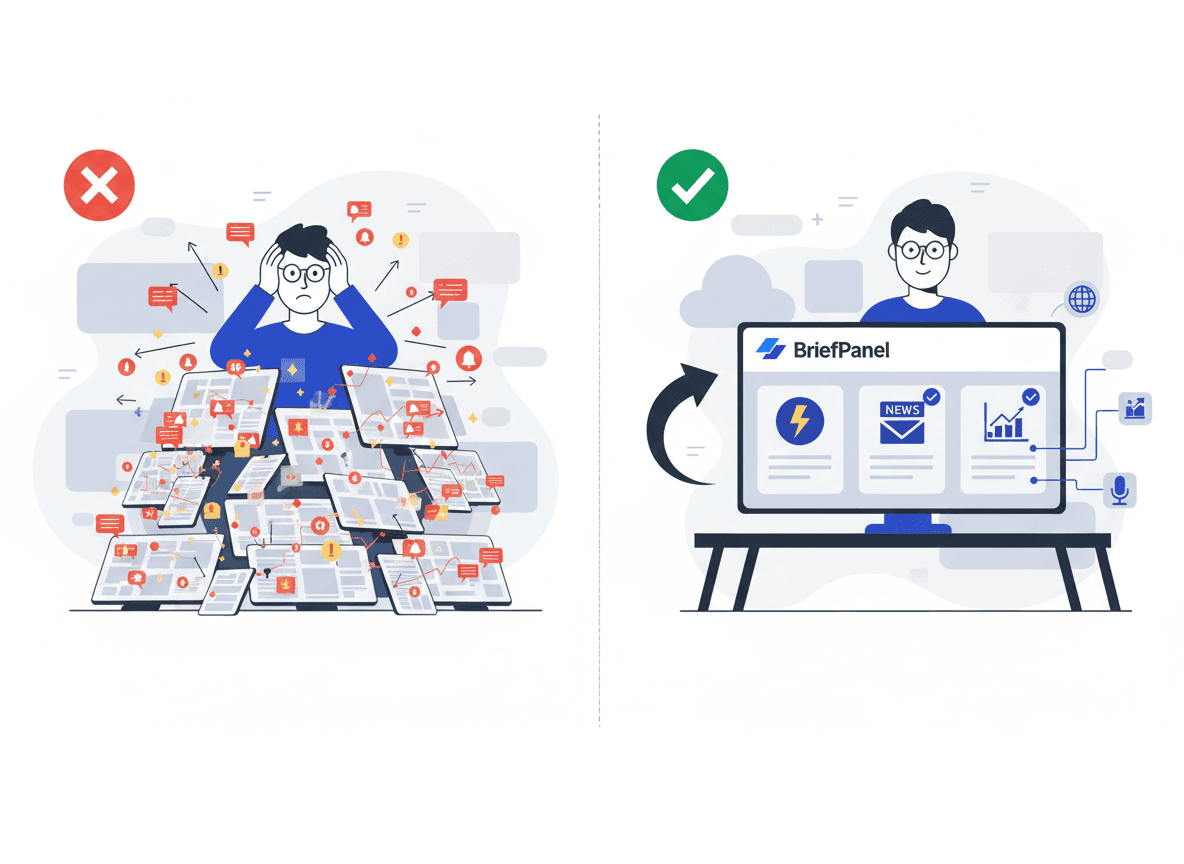
Journalism is a race against time — but monitoring shouldn’t be.
If you cover a beat (policy, courts, tech, local government, sports, public health), you already know the pain:
- 20 tabs open
- email newsletters everywhere
- “breaking” alerts that aren’t actually breaking
- and the one critical update that slips through because it was a quiet change on a page you didn’t check
This post compares the most common ways journalists track updates — and shows a workflow that scales from solo reporters to full newsrooms. It draws on real, recent examples of stories that started not with a tip or a press release, but with a quiet change to a web page.
What the practice shows: the page itself is the source
For investigative and accountability reporters, the most important monitoring insight of the past two years is simple: organizations edit the public web quietly, and those edits are stories.
The clearest illustration came from the wave of US federal website changes in early 2025. By February 2, 2025, more than 8,000 web pages across more than a dozen government websites had been removed or altered — roughly 0.1% of all US government web pages, according to a New York Times analysis summarized in the Wikipedia record of the removals. The Times found more than 250 pages containing evidence of deletions or amendments tied to a list of flagged words. The edits weren't always full deletions — sometimes a single phrase changed: "climate change" became "climate resilience," "LGBTQ" became "LGB," "pregnant people" became "pregnant women."
These weren't announced. Reporters caught them by comparing the live page to an older snapshot. When the Consumer Financial Protection Bureau removed roughly 1,700 pages — press releases, consumer advisories, testimony, and op-eds — journalists reconstructed exactly what disappeared (a know-your-rights guide on medical-debt collection, an advisory on hidden fees in solar-energy loans) by diffing the current site against the Internet Archive's Wayback Machine. The same method surfaced the Justice Department's quiet removal of news releases about January 6 prosecutions.
Two takeaways for any beat reporter:
- A 404 is not a dead end — it's a lead. As the Global Investigative Journalism Network puts it in its guidance on using archives for accountability, the act of deletion is itself a journalistic event worth reporting.
- You can only catch a quiet edit if something was watching the page. The Internet Archive now holds more than one trillion archived web pages, but it doesn't watch your sources on your schedule. That gap — continuous, page-level monitoring of the URLs that matter to your beat — is exactly what a change monitor fills.
This matters more as the news cycle gets faster. The Reuters Institute Digital News Report 2025 found that social and video platforms now reach 54% of US news consumers, overtaking TV (50%) and news sites/apps (48%), and that 44% of 18–24-year-olds name social media as their main news source. When the audience moves first and 58% of people globally say they struggle to tell real from fake online, being early and verifiable on a primary-source change is a real competitive edge.
What journalists actually need from monitoring tools
Most “news monitoring” advice focuses on finding new links.
But reporters often need something more specific:
- Track changes on specific pages (press pages, agency updates, court dockets, regulatory notices, product/security advisories)
- Separate signal from noise (cookie banners, footers, trending widgets, pagination)
- Understand what changed quickly (not just “something changed”)
- Share the update with editors/teams in a format that’s easy to act on
That’s why the right solution depends on whether you’re chasing new mentions or page-level changes.
The main approaches (and where each one breaks)
1) Google Alerts (good for mentions, weak for page changes)
Best for:
- brand mentions
- newly indexed articles
- broad topic tracking
Where it fails for journalists:
- it’s not designed to watch a specific URL and highlight what changed
- it can be late (indexing delays)
- it’s noisy for broad beats
If your beat depends on updates to a handful of “source of truth” pages, Google Alerts won’t reliably catch them.
2) RSS feeds + Feedly/Inoreader (fast, but still manual)
Best for:
- publishers that maintain clean RSS
- following many blogs in one place
Where it fails:
- many critical sources don’t offer RSS (or publish partial feeds)
- you still do the triage and summarization
- it’s hard to track edits (updated guidance pages, corrections, quietly revised advisories)
RSS is powerful, but it’s not “monitoring” — it’s a firehose.
3) Enterprise media monitoring suites (powerful, expensive, mention-centric)
Tools like Meltwater/Cision-style platforms can be excellent when you need:
- broad coverage across publishers
- sentiment/mention analytics
- alerts about newly published stories
But they’re often overkill if your job is:
- monitoring a list of specific public pages
- tracking changes in primary sources
- producing quick internal briefs on what changed
4) Website change monitoring tools (accurate detection, but you still read the diff)
Tools like Visualping, Distill, Wachete, ChangeTower, and similar solutions are great at one thing:
- notifying you when a page changes
The problem starts immediately after:
- you still need to open the change
- scan a raw diff
- decide what matters
- summarize it for your editor/desk
This is where journalists lose time — and where missed context leads to mistakes.
The brief that wins: detection + interpretation
A journalist-friendly workflow has two steps:
- Detect changes reliably.
- Interpret changes quickly and consistently.
BriefPanel is built around that second step.
Instead of sending you “red/green diffs,” it turns website changes into AI-written briefs you can read in seconds.
Why BriefPanel is built for journalists
BriefPanel combines monitoring and summarization so you spend less time “checking” and more time reporting.
Core capabilities
-
Flexible monitoring cadence Set 30 min, hourly, 6 hr, or daily schedules per URL depending on urgency.
-
Adjustable sensitivity Reduce noise from layout tweaks while still catching substantive edits.
-
Custom AI prompt Tell the system what matters for your beat, for example:
"Summarize only substantive policy changes, enforcement actions, deadlines, or numerical thresholds. Ignore navigation, related links, footers, and formatting changes."
-
Email and push notifications Get alerted when something important happens.
-
Daily and weekly digests Start your day with a newsroom-ready rundown instead of scattered alerts.
-
Multilingual summaries If you monitor sources in multiple languages, you can keep briefs consistent for your team.
Want to see it in action? Try BriefPanel free →
A comparison (what to use when)
| Your goal | Best option | Why |
|---|---|---|
| Track brand mentions across the web | Google Alerts / media monitoring suites | Good coverage for newly published content |
| Follow lots of blogs | RSS (Feedly/Inoreader) | Fast scanning, good for discovery |
| Detect changes to a specific public page | Website change monitors | Reliable change detection |
| Detect changes and immediately understand what changed | BriefPanel | AI-written briefs + prompts + digests |
Journalists’ 10-minute setup (that scales)
Step 1: Pick “source of truth” pages for your beat
Start with 10–25 URLs that publish authoritative updates:
- agency guidance pages
- press release pages
- court docket/status pages
- procurement / tender / public notices pages
- security advisories and incident pages
- product policy / terms pages (platform changes matter)
- election results dashboards
Step 2: Set urgency-based monitoring cadences
A simple default:
- Hourly: fast-moving beats and breaking sources
- 6 hours: key pages that change often
- Daily: background monitoring / slow-moving sources
Step 3: Add prompts that match editorial intent
Good prompts are opinionated and practical.
Examples:
- "Highlight any numbers that changed (deadlines, totals, thresholds)."
- "Summarize only changes to official guidance. Ignore navigation and related links."
- "Extract the exact sentences that were added or removed if they include dates, amounts, or named entities."
Step 4: Use digests to brief your desk
A daily digest is an editorial superpower:
- one place to scan what changed
- easier handoffs between shifts
- less duplicated monitoring work
A source-monitoring framework for reporters
Effective newsroom monitoring isn't "watch everything." It's a small, tiered map of where your beat's truth actually lives, paired with a checking cadence and a verification step you run before you publish.
Step 1 — Tier your sources
Sort every URL you watch into three tiers. The tier sets the cadence and the level of scrutiny.
| Tier | What it is | Examples | Suggested cadence |
|---|---|---|---|
| Tier 1 — Primary / authoritative | The page where an action becomes official | Agency guidance and rulemaking pages, court dockets, regulatory filings, security advisories, official press rooms | 30 min–hourly |
| Tier 2 — Context / status | Pages that change often and signal intent | Leadership and "about"/bios pages, investor relations, terms and policy pages, FAQ and help-center pages | 6 hours |
| Tier 3 — Background | Slow-moving but worth a baseline | Annual report archives, partner directories, historical data dashboards | Daily |
The 2025 examples above map cleanly onto this: a scrubbed staff bio is a Tier 2 signal; a deleted advisory or filing is a Tier 1 event.
Step 2 — Watch the right things on each page
The most useful edits are rarely the visual ones. Tune your monitoring to flag:
- Removals — paragraphs, documents, or whole pages that disappear (the highest-value signal).
- Quiet wording changes — a date, a number, a name, or a single loaded phrase that changes without a correction note. This is the "stealth edit" that tools like NewsDiffs were built to catch on news sites themselves.
- New additions — a filing appears, a deadline is posted, a status flips from "pending" to "decided."
Ignore navigation, cookie banners, footers, and trending widgets — they generate noise without signal.
Step 3 — Verify before you publish
A change alert is a lead, not a fact. Investigative-journalism guidance is consistent on the discipline here:
- Capture the change immediately. Save the new state and the prior state (screenshot, URL, timestamp). The Internet Archive's own Save Page Now and tools like Archive.today create independent, timestamped copies.
- Corroborate across at least two independent archives. GIJN's verification guidance stresses checking findings against multiple archival tools — Wayback, Archive.today, and Memento — so a single source can't be your only proof.
- Confirm the page is the official one and rule out an A/B test, CDN cache, or staging glitch before you call it a deliberate change.
- Report the deletion as an event — and seek comment. "Why was this removed?" is a legitimate question that often produces the real story.
Step 4 — Brief the desk
Turn the verified change into a short, shareable brief: what changed, on which page, when, the archived before/after links, and why it matters. That format makes handoffs between shifts trivial and keeps the whole desk on the same primary source.
A worked example: catching a quiet edit
Say you cover a federal consumer-protection beat. You put the agency's press room and consumer-advisory index in Tier 1 at an hourly cadence, and its leadership page in Tier 2 at six hours.
One morning, the advisory index quietly drops several entries — including a know-your-rights guide on medical-debt collection. There's no press release and no correction notice. Because the page was being watched, you get the before/after the same day. You pull the removed pages from the Wayback Machine, confirm they were live the prior week, corroborate with a second archive, and request comment on why they were taken down.
That is, in outline, exactly how reporters documented the CFPB removals in 2025: the deletion was the story, and the only way to prove it was a saved earlier version of the page.
Common newsroom use cases
Breaking policy & regulation
Monitor agencies and regulators for:
- new guidance
- compliance deadlines
- enforcement actions
- FAQ updates
Courts and legal beats
Track docket pages and public updates for:
- schedule changes
- filings
- decisions
- new documents
Tech and platform accountability
Monitor:
- trust & safety policy pages
- transparency reports
- developer docs (API changes)
- incident pages
Business and markets
Track:
- investor relations pages
- leadership pages
- pricing pages
- partner program terms
The biggest trap: alert fatigue
Even the best monitoring pipeline fails if it overwhelms people.
If your team is ignoring alerts, the system isn’t “too noisy” — it’s missing structure:
- define which sources are urgent vs. background
- tighten prompts to match the beat
- choose digests by default, alerts only for truly critical updates
BriefPanel is designed around this reality: a calm daily workflow with optional real-time alerts.
Frequently asked questions
Can a website change really be a story on its own? Yes. In 2025, the removal of pages — from roughly 1,700 CFPB advisories and testimony to the Justice Department's January 6 prosecution releases — was itself the news. Investigative-journalism guidance treats a deletion as a reportable event, not a dead end. The reporting hinges on having a prior version to compare against.
How do I prove a page changed if the original is gone? Use independent, timestamped archives. The Internet Archive's Wayback Machine holds over a trillion archived pages, and you can capture a fresh copy yourself with Save Page Now. Corroborate across a second archive (Archive.today, Memento) so no single source is your only proof.
What's a "stealth edit," and how do I catch one? A stealth edit is a change made without any note that the text was altered — a swapped date, number, name, or phrase. On news sites, NewsDiffs has tracked these on outlets like the NYT, CNN, Politico, the BBC, and the Washington Post since 2012. On any page, the only reliable way to catch one is continuous, page-level monitoring with a sensitivity setting tuned to substantive text changes rather than layout.
How many pages should I monitor, and how often? Start with 10–25 URLs you'd be embarrassed to be scooped on, tiered by importance: primary/authoritative pages hourly, context pages every 6 hours, background pages daily. It's better to watch a tight list well than a huge list badly.
Does BriefPanel replace the Wayback Machine? No — they're complementary. The Wayback Machine is your archive of record for proof; BriefPanel is the watcher that tells you when a page you care about changes and what changed, on your schedule, in plain language. Use the alert to act fast, and the archive to verify.
Related guides
Get your first journalist-ready brief today
You can keep using Google Alerts and RSS for discovery.
But if you want to reliably track page-level changes and instantly understand what changed — without reading raw diffs — BriefPanel is the simplest workflow upgrade you can make.
Sources
- New York Times analysis of 2025 US government website removals (8,000+ pages; 250+ with flagged-word edits), summarized in Wikipedia: 2025 United States government online resource removals
- Thousands of pages deleted from the Consumer Financial Protection Bureau website (CFPB removals reconstructed via the Wayback Machine)
- Justice Department Removes News Releases on Jan. 6 Prosecutions From Website (Time)
- Global Investigative Journalism Network — Using Archives to Seek Accountability
- Internet Archive — One Trillion Web Pages Archived
- Reuters Institute — Digital News Report 2025, executive summary
- NewsDiffs — tracking online news articles over time
- The Internet Archive's Wayback Machine